Integration of ComfyUI with DCCComfyUI×DCC統合
The initial design of ComfyUI was never intended as a full-fledged middleware solution.
Yet this is exactly what it became.
Photoshop operates through ComfyUI, Houdini sends geometry for PBR textures, and 3ds Max even began including it as a built-in creative control layer.
Here we'll examine all the relevant bridges worth knowing about.
Finally, I'd like to emphasize that what has endured isn't any particular tool, but rather the concept of the graph itself.
ComfyUI は最初からミドルウェアを目指したツールではない。
それでも実際にはそうなった。
Photoshop は ComfyUI 越しに描き、Houdini は PBR テクスチャ用のジオメトリを送り込み、3ds Max は ComfyUI 経由でリアルタイムに描画する。
NVIDIA に至ってはこれをクリエイティブ制御層として同梱し始めた。
ここでは知っておく価値のあるブリッジをひととおり見ていく。
そのうえで、息が長いのは個々のツールではなくグラフという考え方そのものだという話をしたい。
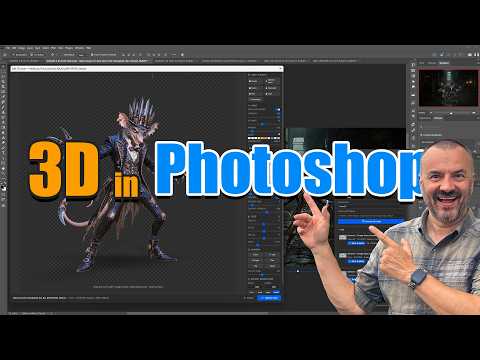
Canvas-based Bridge - PhotoShop/Krita 2024 カンバス系ブリッジ — Photoshop / Krita (2024)
The first breakthrough was connecting 2D canvases in real time.
In real-time collaboration between ComfyUI ↔ Photoshop, the diffusion path would reinterpret strokes drawn on one monitor.
The Krita AI integration achieved this on the open-source side, while the multi-backend plugin combined Stability, OpenAI, and Replicate behind a single PhotoShop panel.
What these tutorials had already pointed out before anyone could even say it: generation works best when integrated directly into your existing workflow as a live layer, rather than requiring a separate dedicated site.
最初に来たのは2Dカンバスをつなぐ動きだった。
Photoshop↔ComfyUI のリアルタイム連携では、片方のモニタで描いたストロークをもう片方で拡散パスが解釈し直す。
Krita の AI 統合はオープンソース側で同じことをやってのけた。
マルチバックエンドのプラグインは Stability・OpenAI・Replicate をひとつの Photoshop パネルの裏側にまとめた。
誰かがはっきり口にする前にこれらのチュートリアルが示していたことがある。
生成は別立てのサイトに出かけてやるものではなく、いま使っているワークフローの中のライブレイヤーとして動かすのがいちばん効くということだ。


Three-Dimensional Bridges - From Viewport to Graphs (from 2024 -> 2026) 3D系ブリッジ — ビューポートからグラフへ (2024→2026)
Next came the 3D DCC groups.
The LCM era saw Blender, C4D, and ZBrush pushing their viewports to interactive speeds ComfyUI, and Maya gained real-time AI rendering.
Building on this momentum was Ubisoft's Chord paired with Houdini’s Bridge, which enabled native integration with BlendAI.
Meanwhile, NVIDIA introduced its RTX "Creative Control" package as the de facto standard interface between DCCs and GCMs.
For background artists familiar with learning Houdini, this bridge represents one of the most crucial tools in this archive.
Then, in July 2026, the far end of that bridge finally reached the game engine.
GeekatPlay walks through taking 3D models, terrains, skydomes, and materials built in ComfyUI into Unreal Engine and Unity and making them work as game assets.
What was a story about connecting DCCs to each other now extends all the way to the engine, the final destination.
From a background-production standpoint, this connection is what turns the output of a graph into an actual deliverable.
次にやってきたのは3D DCC 群だ。
LCM 時代の実験は Blender・C4D・ZBrush・Maya のビューポートをインタラクティブな速度で ComfyUI に通し、3ds Max はリアルタイムの AI レンダリングを手に入れ、BlendAI は生成を Blender にネイティブで埋め込んだ。
この流れが成熟した先にあるのが、Ubisoft の Chord と組む Houdini ComfyUI Bridge だ。
プロシージャルなジオメトリを入れると実制作水準の PBR テクスチャセットが返ってくる。
もう一つが、ComfyUI を GPU と DCC のあいだの標準シムとして事実上公認した NVIDIA の RTX「クリエイティブ制御」パッケージだ。
Houdini を学んでいる背景アーティストからするとこの Bridge は本アーカイブで最も要になる一本だ。
そして2026年7月、この橋の先にゲームエンジンが接続された。
GeekatPlay が、ComfyUI で作った3Dモデル・地形・スカイドーム・マテリアルを Unreal Engine と Unity へ持ち込み、ゲームアセットとして成立させるまでを通しで扱っている。
DCC どうしをつなぐ話だったブリッジが、最終的な行き先であるエンジンまで伸びたことになる。
背景制作の観点では、ここが繋がってはじめてグラフの成果物が納品物になる。




Beyond the Desktop - The Cloud, Agents, and More! デスクトップの外へ — API・クラウド・エージェント
The third layer treats ComfyUI as a server.
The API+WebSocket + Gradio tutorial demonstrates how this workflow naturally evolves into a full-fledged web application.
SALT AI demonstrated how the graph can be deployed as cloud endpoints, while Replicate-style tools showed where the identical visualization operates as an endpoint.
The same LLM node that constructed prompts in the diagram—now proven through experimentation—as we look back, this was a nascent form of agent-driven pipeline.
The skills developed in this layer enable the same network to function seamlessly whether as a batch tool, service, or even an autonomous system.
In August 2026, movement onto this layer began coming from the model providers themselves.
LTX published an official walkthrough, "From Idea to Pipeline," on building its video model into a ComfyUI graph.
Open-weight providers now ship ComfyUI workflow templates alongside the weights — LTX-2.5's day-one support being the example — which means the graph has become the de facto standard interface.
For users, that reduces the need to work out node arrangements from scratch every time a new model lands.
Here too, what compounds is not the lifespan of any individual model but the vocabulary of the graph.
三つめの層は ComfyUI をサーバーとして扱う。
API+WebSocket+Gradio のチュートリアルは、ワークフローがそのまま web アプリになっていく過程を見せる。
SALT AI はグラフを Discord に載せ、Replicate 系のツールは同じグラフがクラウドのエンドポイントとして動く先を指し示した。
グラフの中でプロンプトを組み立てる LLM ノードの実験は、後から振り返れば今日のエージェント駆動パイプラインの芽生えだった。
グラフというスキルが複利で効いてくるのはこの層があるからだ。
エディタで試作したのと同じネットワークが、組み直しなしにバッチツールにもサービスにもエージェントの道具にもなる。
2026年8月には、モデル提供元の側からこの層に乗ってくる動きが出た。
LTX が「アイデアからパイプラインまで」と題して、自社の動画モデルを ComfyUI 上で組み上げる工程を公式に解説している。
オープンウェイトの提供元が、配布と同時に ComfyUI 向けのワークフローテンプレートまで用意する——LTX-2.5 はその初日対応の実例だった——という流れは、グラフが事実上の標準インターフェースになったことを意味する。
使う側からすると、新しいモデルが出るたびにノードの組み方を一から探る必要が減る。
ここでも効いてくるのは個々のモデルの寿命ではなく、グラフという語彙のほうだ。




Further viewing その他の参照動画
- BlendAI — AI in Blender 2024-08
- AI Art in Krita (live) 2024-05
- AI Realtime Image Generation with Webcam & ComfyUI 2024-01
- ComfyUI API + Python + Gradio — portrait generator 2024-05
- ComfyUI × LLM — advanced tutorial 2024-01
- SALT AI — online ComfyUI deploy 2024-06
- Replicate Python API tutorial 2024-07
- create-replicate-app (Node.js) 2024-07